Docusaurus
Dhub works with Docusaurus out of the box. Import your GitHub repository and start editing your docs and blog posts visually. No changes to your project structure required.
Getting started
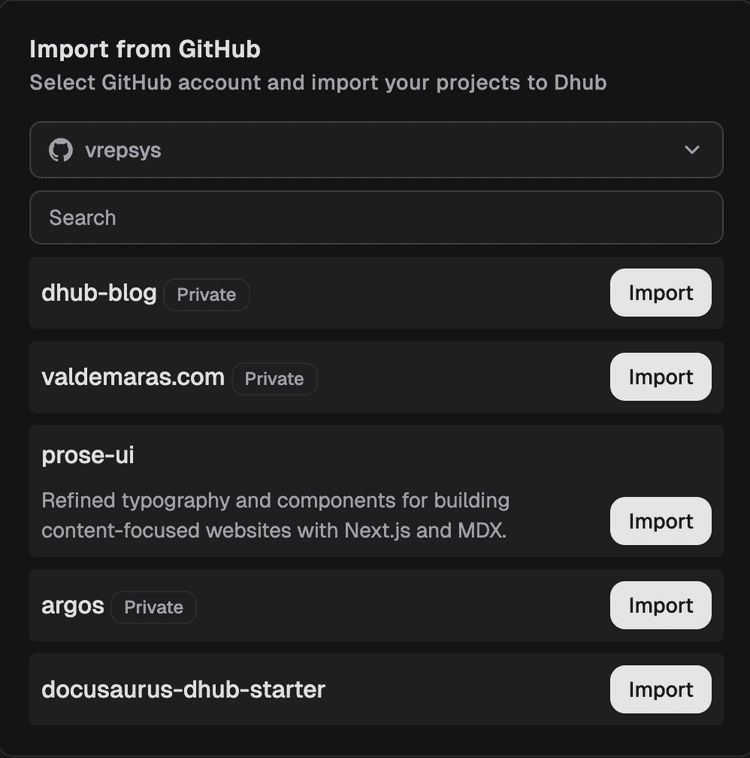
Import your Docusaurus repository
Connect your GitHub repo in Dhub. Find your project in the list and hit Import. Dhub detects your Docusaurus project structure and shows your content files in the sidebar.
Pick your branch
Connect to your
mainbranch or a development branch, whatever fits your workflow. Just make sure the "This is a Docusaurus project" box is checked. Working with a monorepo or a custom image directory? You can point Dhub to the right folders during import.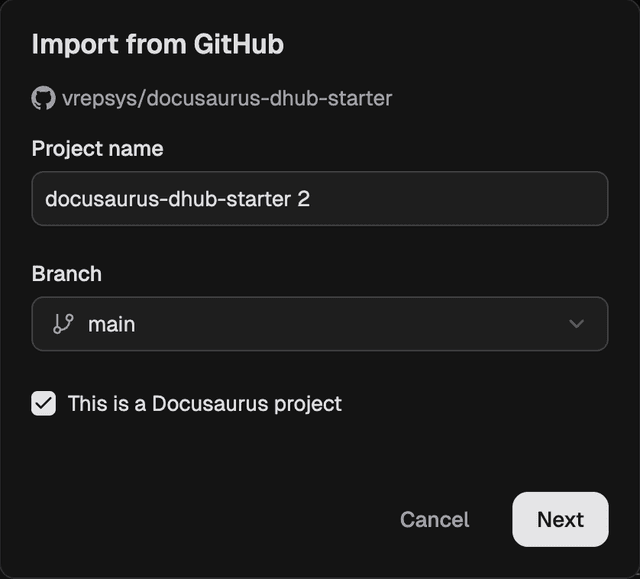
Edit content visually
Open any Markdown or MDX file. Dhub renders it in a WYSIWYG editor with support for tables, admonitions, code blocks, and images.
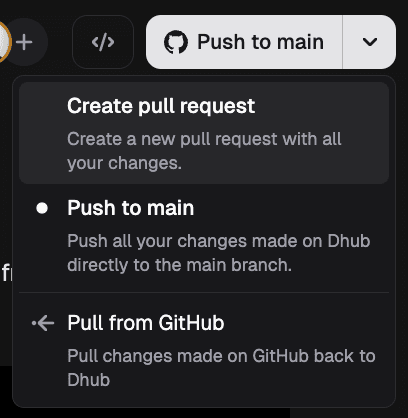
Push changes to GitHub
Push directly or create a pull request. Dhub creates the branch and opens the PR for you, then keeps updating the same PR until it's merged or closed. Your team's existing review workflow stays the same.
Starting from scratch instead? Clone the Dhub-ready Docusaurus starter. It comes pre-configured, including visual sidebar navigation.
Editing basics
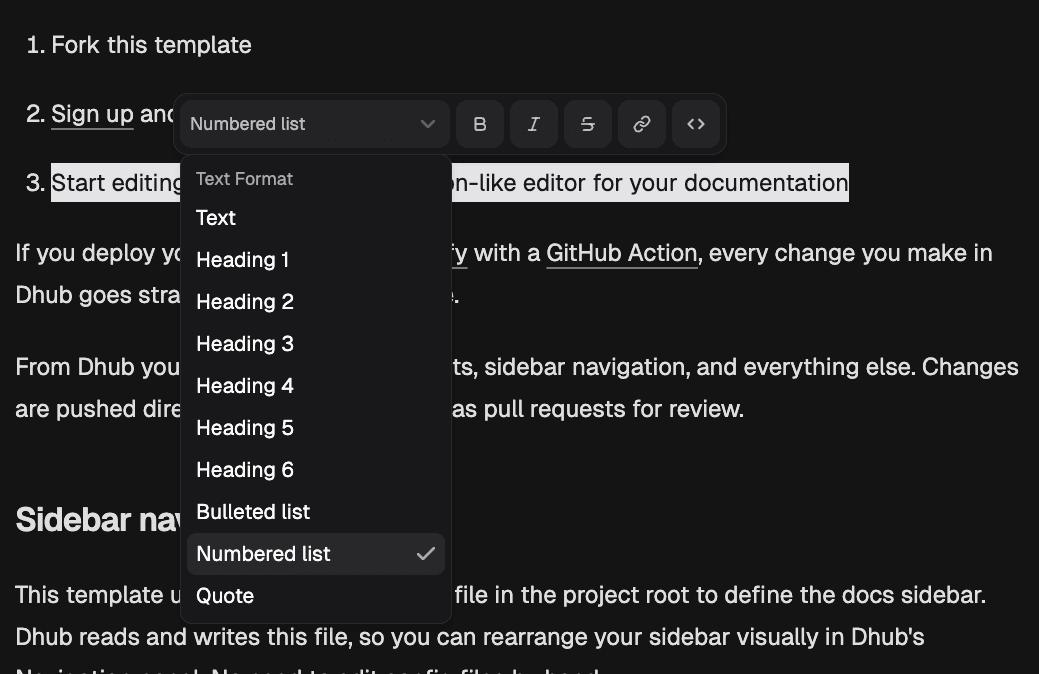
Highlight any text to bring up the bubble menu. It works just like Notion for quick styling and links.
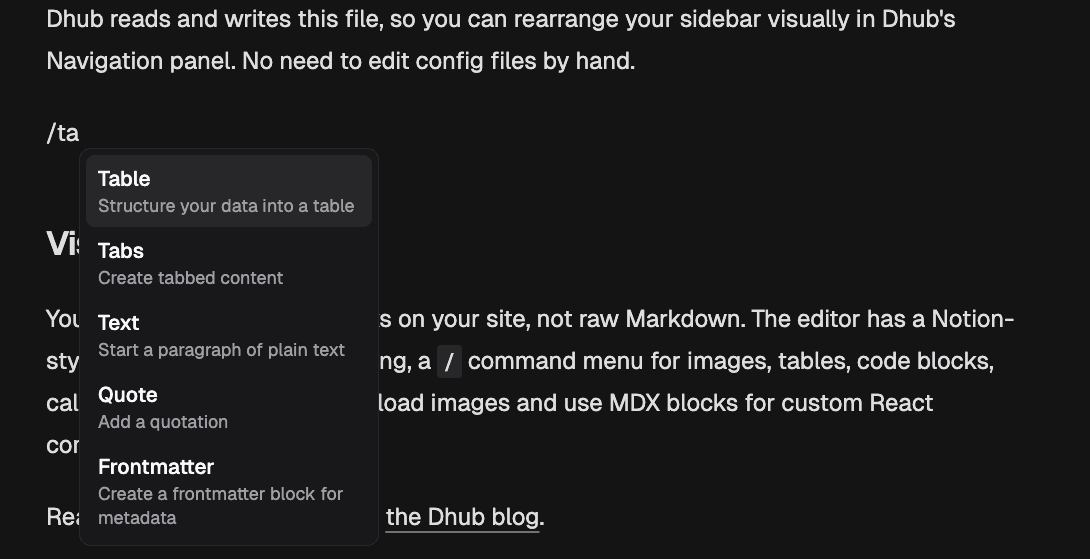
Type / to open the command menu. This is how you drop in tables, callouts, code blocks, or images without touching Markdown syntax.
What Dhub supports
Dhub understands Docusaurus-specific content natively:
- Admonitions — tip, note, warning, info, and danger callouts render visually in the editor
- Tables — edit tables without writing Markdown pipe syntax
- Images — drag and drop images into the editor. Dhub saves them to your
/staticfolder with the correct path - Code blocks — syntax-highlighted code blocks with language selection
- Frontmatter — edit title, description, sidebar labels, and other metadata through a form UI
- MDX components — custom React components appear as editable MDX blocks
Versioned documentation
Dhub shows your entire project tree, including versioned docs folders like versioned_docs/version-2.0/. You can edit any version of your documentation, and changes are pushed to the correct location in your repository.
Internationalization
If your Docusaurus project uses i18n, Dhub displays your translated content folders in the file tree. Edit any language the same way you edit the default language.
Custom MDX components
When Dhub encounters a custom React component it doesn't recognize, it displays it as an embedded MDX block. You can edit the JSX directly within the block while still using the visual editor for surrounding content.